Universities & Colleges · Learning Spaces

Access your learning space with confidence

Modern teaching spaces across Scottish universities are equipped with Phonak Roger assistive listening technology — designed to connect seamlessly to your hearing device.

What's in the Room Make Your Aids Ready

Roger digital wireless technology delivers speech and other audio sources directly to your hearing aids or cochlear implant.

What's in the Room

Equipment installed in your learning spaces

Teaching rooms are fitted with three core Phonak Roger devices. Together they broadcast speech and audio from any source directly to your hearing aids or cochlear implant processor.

Phonak Roger Base Station
Transmitter

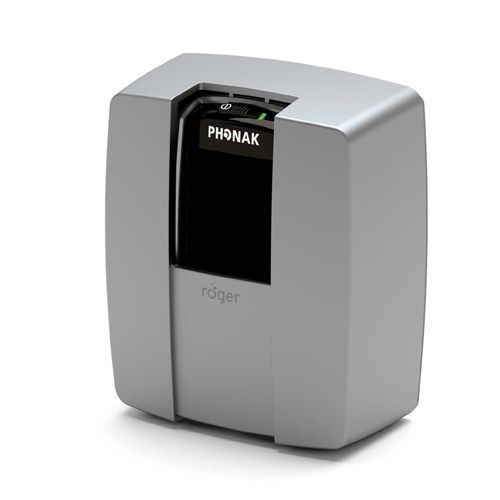
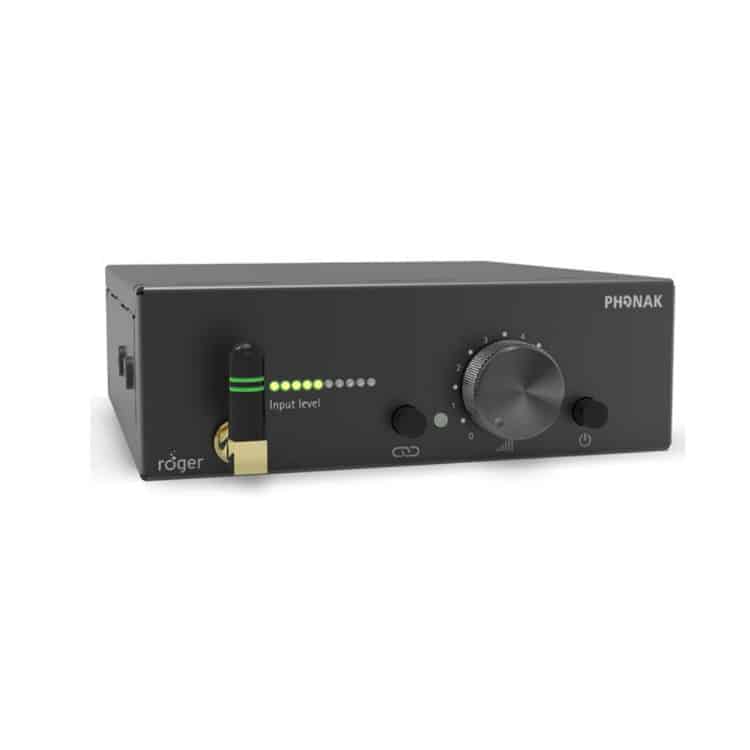
Phonak Roger Base Station

The fixed transmitter at the heart of the room's Roger system. Connected to the room's existing AV and audio setup, it broadcasts the lecturer's voice and all room audio wirelessly to hearing device users throughout the space.

Lecture HallsTheatresMeeting Rooms
Phonak Roger Wall Pilot
Building Access

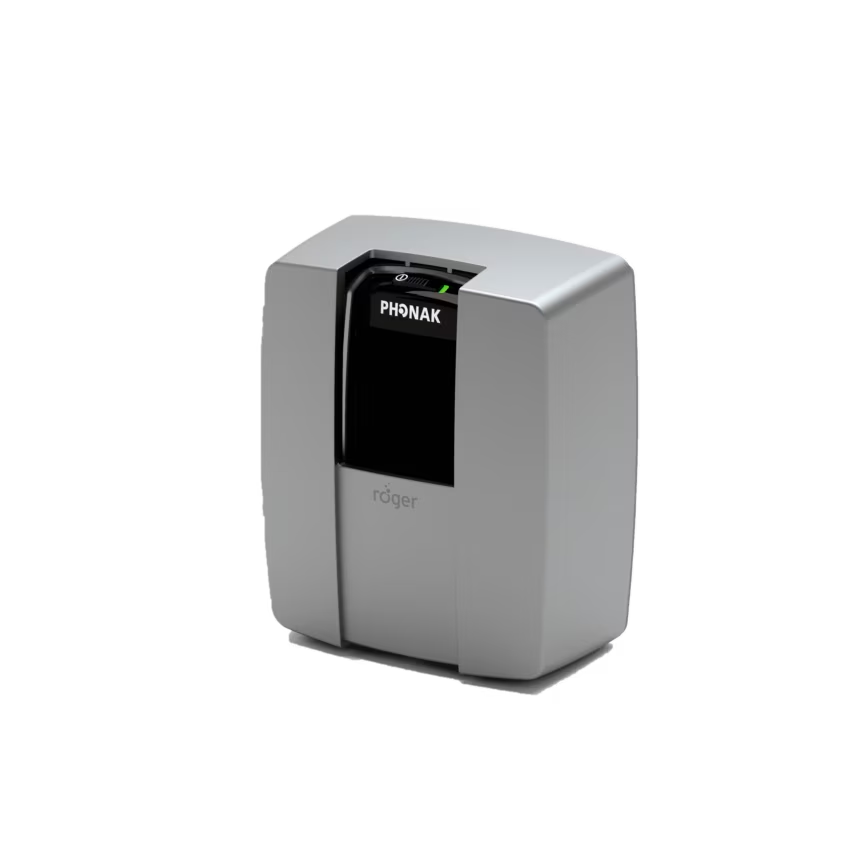
Phonak Roger Wall Pilot

A wall-mounted device that connects your hearing aids or cochlear implant to the room's Roger system automatically as you walk past it — no buttons, no manual setup. Typically located at the door, on the teaching desk, at the back of the room, or on the ceiling.

Teaching DesksEntrance DoorsCeilingTeams Rooms
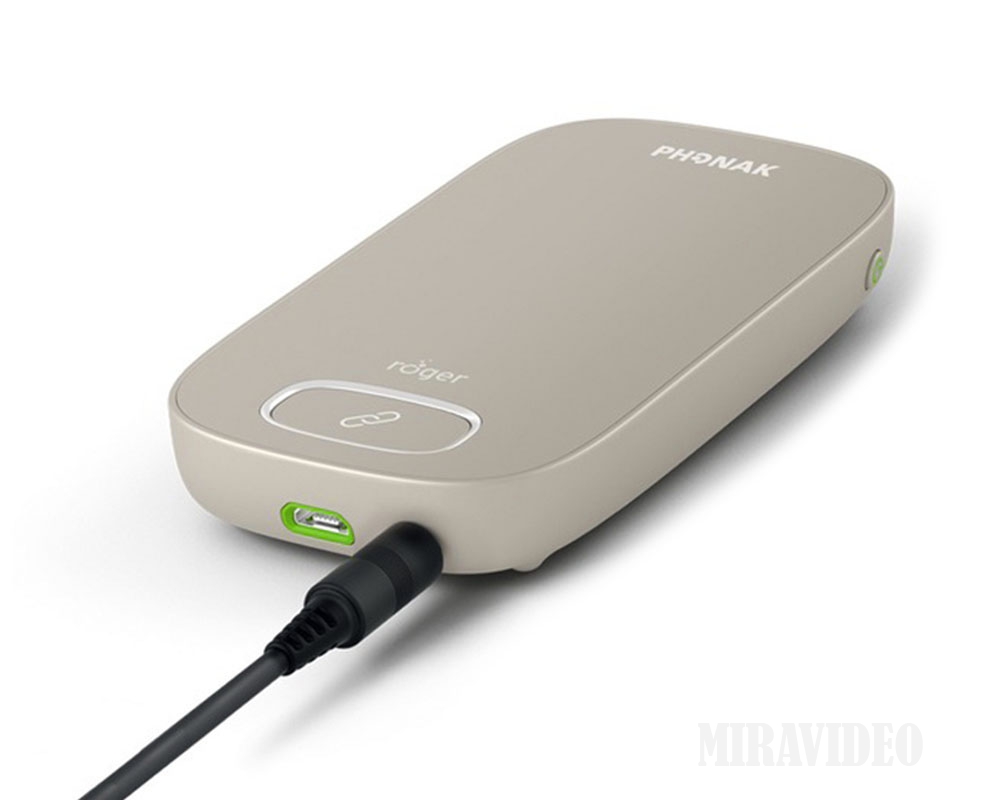
Phonak Roger Multimedia Hub
Audio Hub · Media Access

Phonak Roger Multimedia Hub

Connects any room audio source — laptop, projector, lecture capture system, or presentation equipment — into the Roger wireless network, so you receive all media audio directly through your hearing device alongside the lecturer's voice.

Media StreamingTeams Rooms

Before You Arrive

Making your hearing aids ready

To connect to the Roger system in your teaching room, your hearing device needs to be correctly set up. There are three options depending on the type of hearing device you use.

Option 1

I use Phonak hearing aids

Phonak Roger Wall Pilot auto-connect

Phonak hearing aids have built-in Roger receivers. Your device can connect directly to the Roger system in teaching rooms without any additional equipment.

Your audiology department should activate these built-in receivers — if this hasn't happened, it can be easily arranged. See the Getting Started with Roger section below.

  • 1
    Check whether your Roger receiver has already been activated by your audiologist.
  • 2
    If you are unsure whether activation has taken place, follow point 1 in the Getting Started with Roger section below.
  • 3
    Once activated, walk past the Wall Pilot in your teaching room and your aids will connect automatically.
Option 2

I use a cochlear implant processor

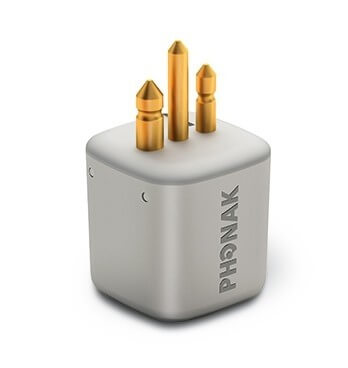
Roger receiver for cochlear implant

All cochlear implant processors have the facility to incorporate an external Roger receiver. This connects directly to your processor and gives you full wireless access to the room's Roger system.

You may be able to make an application for a Roger receiver as part of the DSA (Disabled Students' Allowance) process — speak to your Disability Services team about this.

  • 1
    Contact your Disability Services team to discuss applying for a Roger receiver through DSA.
  • 2
    Your audiologist or cochlear implant team can attach and configure the receiver to your processor.
  • 3
    Once your receiver is attached, walk past the Wall Pilot in your teaching room and your processor will connect automatically.
Option 3

I use non-Phonak hearing aids

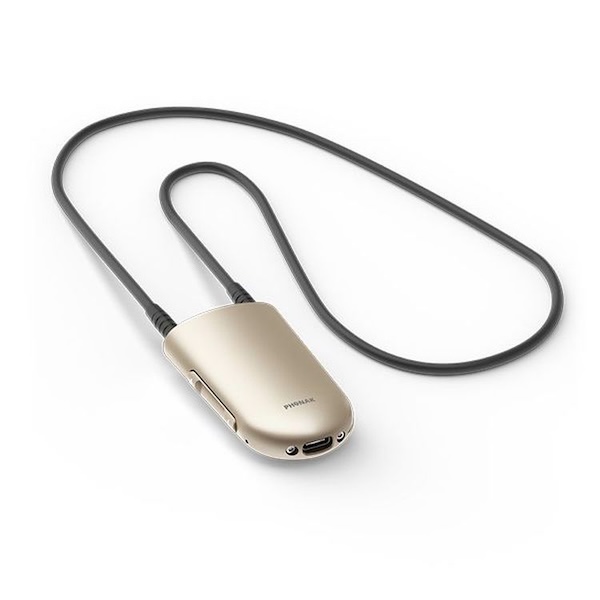
Phonak Roger Neckloop for non-Phonak users

You can still access the full Roger system using the telecoil (T-position) on your hearing aid together with a Roger Neckloop receiver.

The Neckloop is a lightweight loop worn around the neck. It receives the Roger signal wirelessly and sends it directly to your hearing aids via the telecoil — giving you the same quality of access as a built-in receiver.

  • 1
    Many teaching and meeting spaces have neckloops available for use in the room. Check with your Disability Services team. A Neckloop may also be available as part of the DSA process.
  • 2
    Switch your hearing aids to the T-position (telecoil programme) when entering a Roger-equipped room.
  • 3
    Walk past the Wall Pilot — the Neckloop will connect to the room system automatically.

Getting Started with Roger

New to the Roger system? Here's how to get connected

If your Phonak hearing aids haven't been set up to work with the Roger system yet, the videos below show you exactly how to activate the built-in receivers using two of the most common Roger transmitters. The Phonak Touchscreen may be found in some of the Teams meeting rooms. Once activated, your aids will connect to any Roger system automatically.

Setup Guide · Part 1

Activating RogerDirect using the Roger Touchscreen Mic

Step-by-step guide to activating the built-in Roger receiver (RogerDirect) in your Phonak hearing aids using the Roger Touchscreen Mic 3 — found in lecture rooms, seminar spaces, and some Teams meeting rooms.

Setup Guide · Part 2

Activating RogerDirect using the Roger On

Step-by-step guide to activating the built-in Roger receiver in your Phonak hearing aids using the Roger On — used in smaller teaching rooms, tutorials, and 1:1 settings.

Helpful Tips

🔋

Charge before you go

Make sure your hearing aids are fully charged before attending a lecture or seminar — a low battery can affect wireless connectivity.

🚶

Walk past the Wall Pilot

Once your receivers are activated, entering the room is all you need to do. Walk past the Wall Pilot device and your aids connect automatically.

🔁

Didn't connect first time?

Simply walk past the Wall Pilot again.

📱

Check your hearing aid programme

Some hearing aids need to be in the correct programme to receive Roger signals. If in doubt, check with your audiologist.

Phonak Roger Wall Pilot device

How to Access the System

Connecting in the room

Once your hearing device is set up — either activated by your audiologist, or with a Neckloop — connecting to the system in any teaching room is completely automatic. There is nothing to press or configure.

The Roger Wall Pilot broadcasts a connection signal throughout the room. Your hearing device detects this and connects instantly when you walk past it.

The Wall Pilot may be at the door entrance, on the teaching desk, at the back of the room, or mounted on the ceiling. Look for the small Phonak Roger unit.

Finding the Wall Pilot

Where to look in your teaching room

The Roger Wall Pilot can be installed in several positions depending on the room layout. Here are the most common locations to look for when you enter a teaching space.

🚪

Door Entrance

Mounted on the wall beside or above the main entrance — the most common location. Walk through the doorway and your device will connect as you enter.

🎓

Teaching Desk

Placed on or beside the lecturer's desk at the front of the room. Walk past the front on arrival to ensure a strong initial connection.

🔙

Back of the Room

Fixed to the rear wall of larger lecture theatres — particularly useful for students who enter from the back or sit at the rear of the space.

⬆️

Ceiling Mounted

In some rooms the Wall Pilot is ceiling-mounted for wider coverage. Simply entering the room will trigger an automatic connection.

Quick Reference Guide

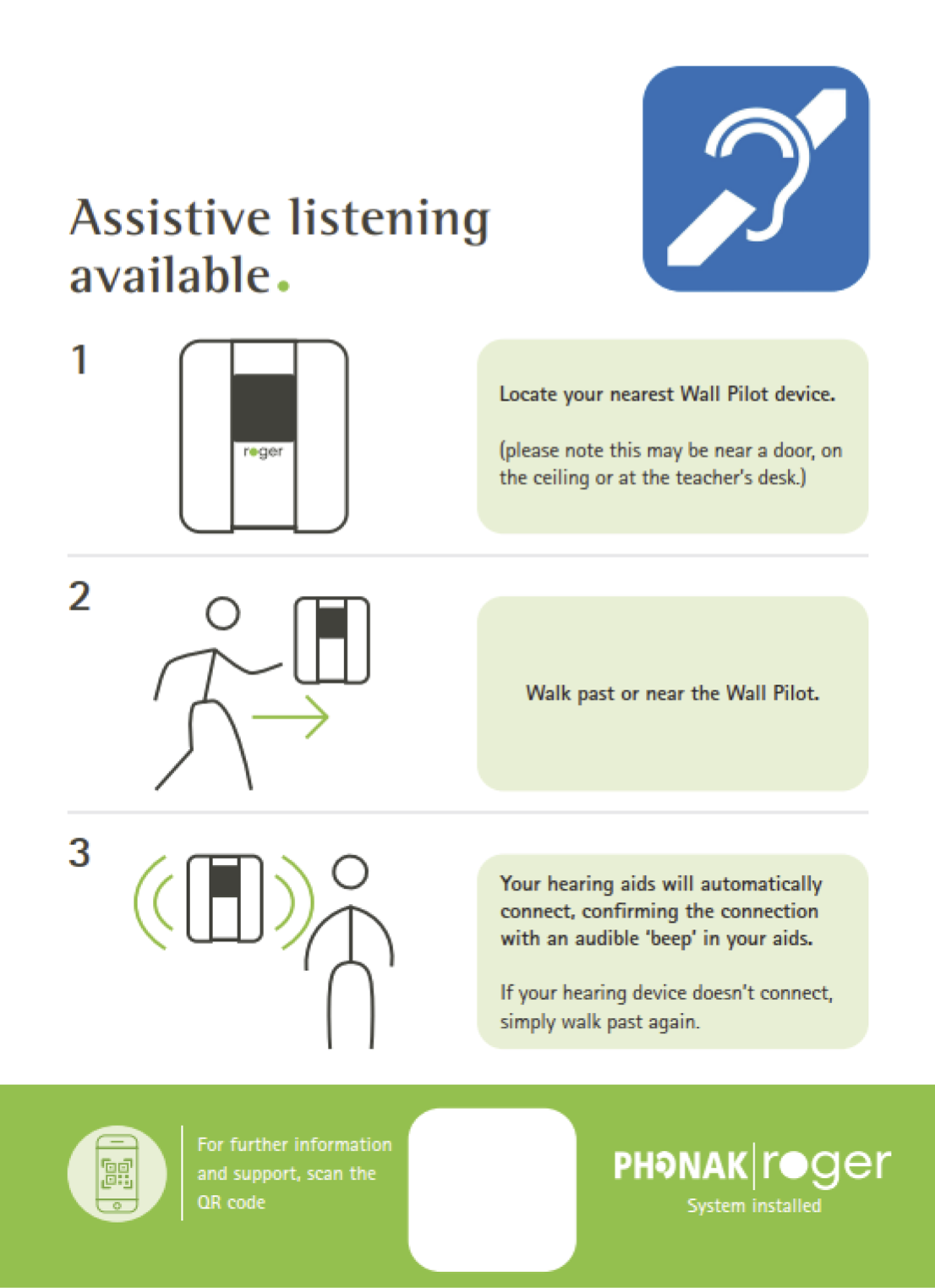
Connecting to the system in three steps

This guide, developed with the University of Edinburgh, gives a simple visual overview of how to connect to the Roger system in any equipped teaching room.

  • Locate your nearest Wall Pilot device in the room
  • Walk past or near the Wall Pilot
  • Your hearing device connects automatically
⬇ Download Poster
Connecting to the Roger system — University of Edinburgh three-step guide: locate Wall Pilot, walk past it, hearing device connects automatically

Need help getting set up?

Whether you need your Roger receiver activated, or have questions about the Roger system please get in contact.

✉ Contact the ALT-RTIL Explore the Assistive Listening Technology Hub